• Don't Get Bunked!™

    Practical skills for a world full of questionable information.

    Use clear, repeatable steps to recognize misinformation, scams, deepfakes, and other forms of deception—and know what to check before you act or share.

    Created by adult educator and DEBUNK author Sam McCollough.

  • Why I Created Don't Get Bunked!™

    I almost fell for a scam once that could have cost me thousands. It was only because of my background in software development that I was able to spot it before it was too late.


    That experience helped inspire Don’t Get Bunked!™ Practical education designed to help people recognize deception before it costs them.

  • Why I Created Don't Get Bunked!

    I almost fell for a scam once that could have cost me thousands. It was only because of my background in software development that I was able to spot it before it was too late.


    That experience helped inspire Don’t Get Bunked!™ Practical education designed to help people recognize deception before it costs them.

  • Start Here

    Learn & Explore

    Access the DEBUNK eBook, Bunkproof in 30 Minutes™ course, the Bunkproof Toolkit™, printable guides, and reference materials—all free.

    Bring Don’t Get Bunked!™ to Your Organization

    Engaging, practical presentations can be adapted for libraries, senior centers, community organizations, schools, civic groups, and other audiences.

    Opens sammccollough.com in a new tab.

  • What You'll Find Here

    You’re not getting opinions — you’re gaining skills. Everything here is designed to help you check safely, evaluate claims, and spot scams or misinformation before they spread.

    📘 DEBUNK (eBook) — A clear guide to critical thinking and the principles behind recognizing misleading claims and questionable information.

    🎓 Bunkproof in 30 Minutes™ (Course) — A quick video walkthrough of phishing, fake news, deepfakes, and other forms of deception, using real examples.

    🧰 The Bunkproof Toolkit™ — A curated library of tools, checklists, printable guides, and reference materials for everyday use.

    You’ll build confidence in verifying claims — even when something feels urgent — using skills you can apply in everyday situations.

    Start in minutes — pause any time.

  • 📄 Trusted Fact-Check Sources Guide

    Reliable sources to help you check claims, scams, and headlines.

    Download this free one-page guide to fact-checking and misinformation resources, including IFCN-verified sources.

    Tip: Choose “Actual size” (100%) when printing.

    🔒 No email required.

  • Before & After: Spotting Phishing in Seconds

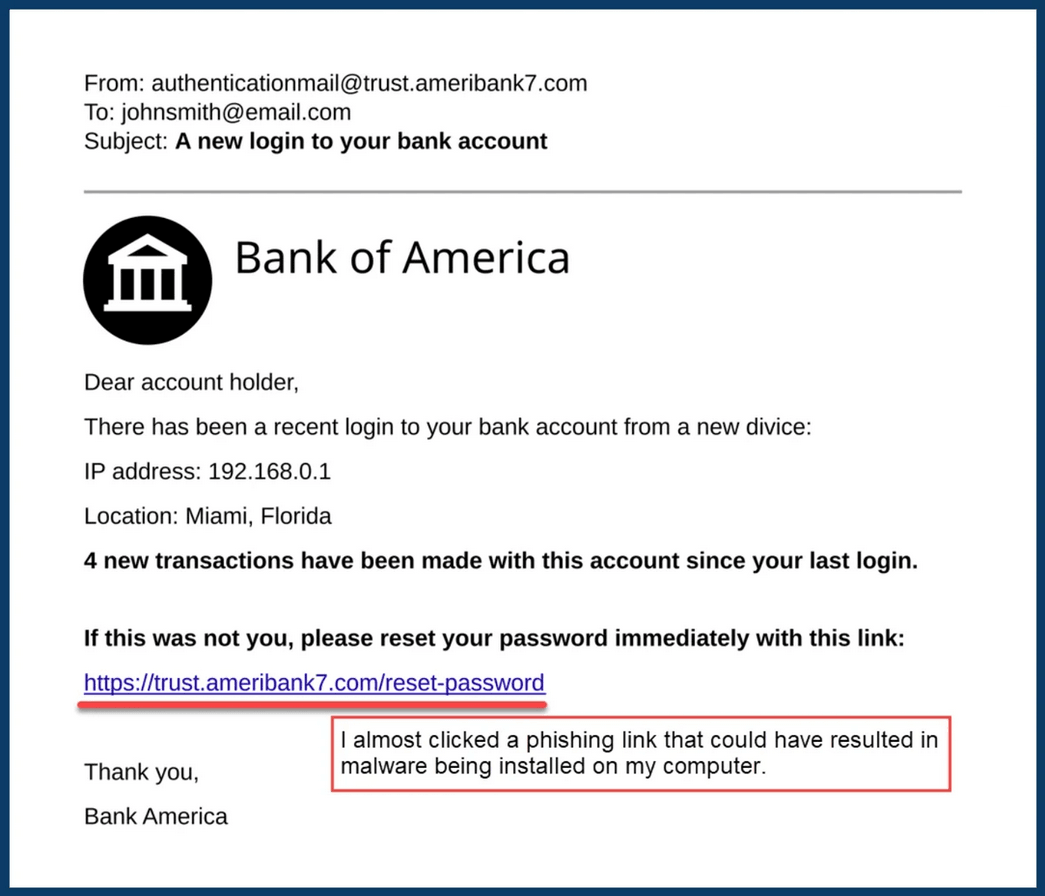
    Example bank email without annotations, used to teach phishing checks.

    Before — Looks Legit?

    At first glance, this email might look convincing. Before acting, check the sender, notice the language being used, and preview links safely.

    A few quick checks can reveal reasons to stop and investigate further.
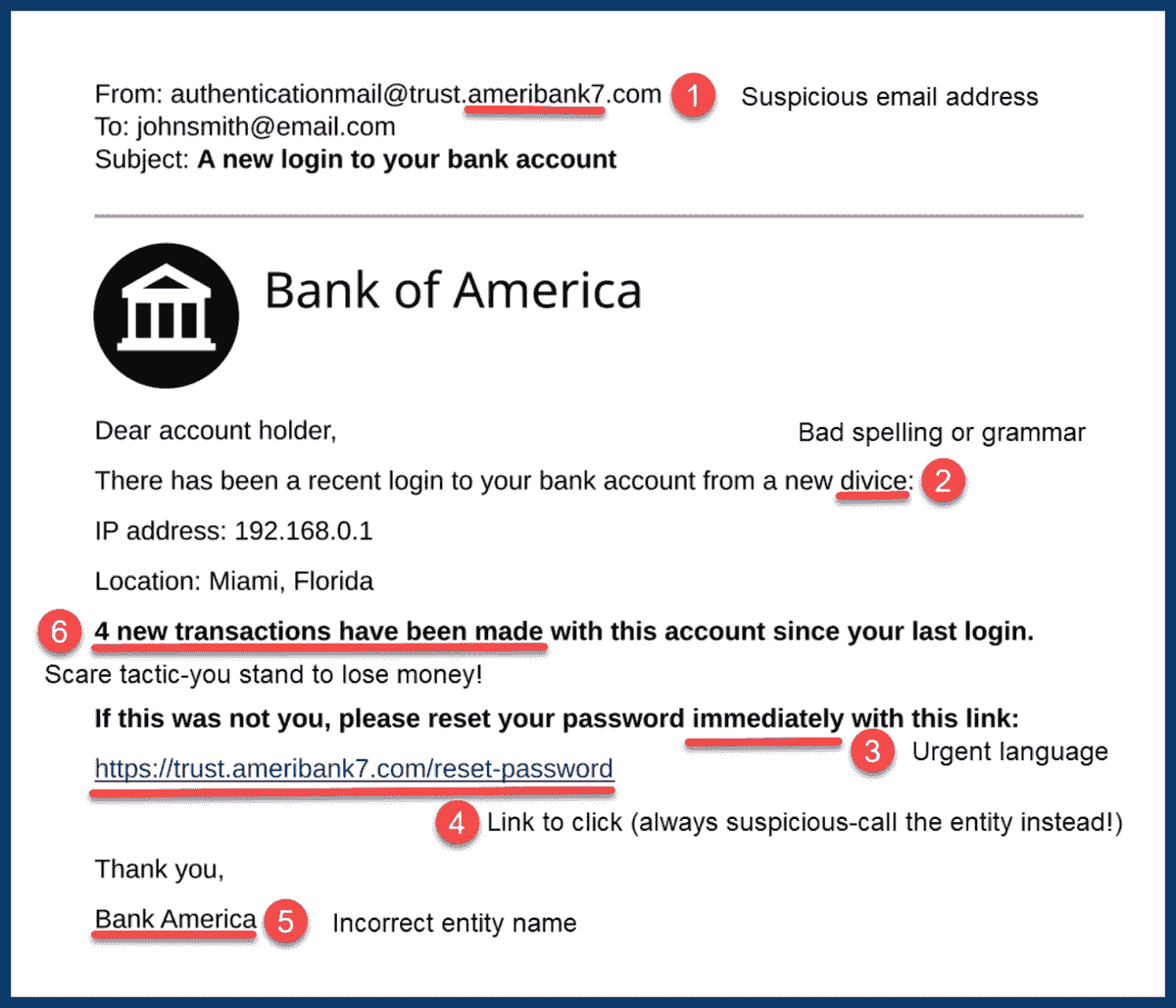
    Same email annotated with three red flags: sender domain mismatch, urgent or threatening language, and a mismatched link shown on hover.

    After — What Changed:

    ① Sender name vs. domain ② Spelling/grammar

    ③ Urgency words ④ Hover to preview link

    ⑤ Wrong entity name ⑥ Fear/pressure tactic

    These checks can help you decide when an email deserves a closer look.

  • Before & After: Spotting Phishing in Seconds

    Here’s how the skills pay off — real example from the course.
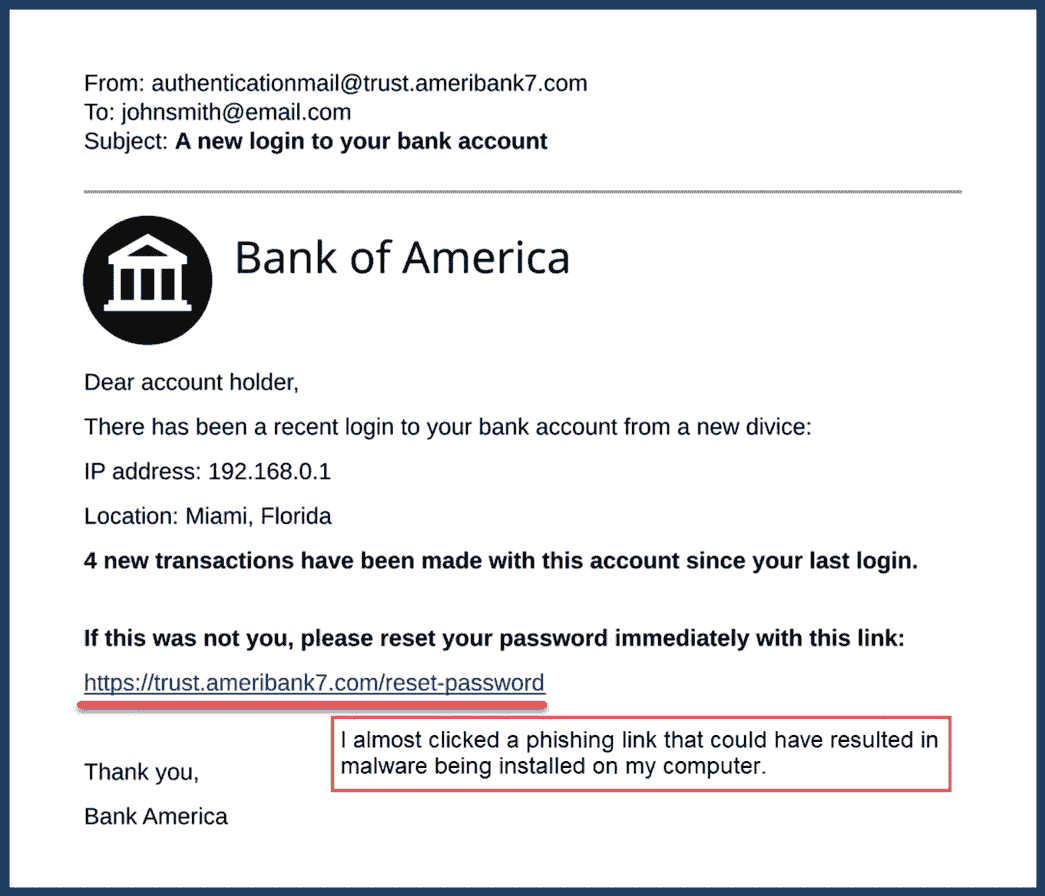
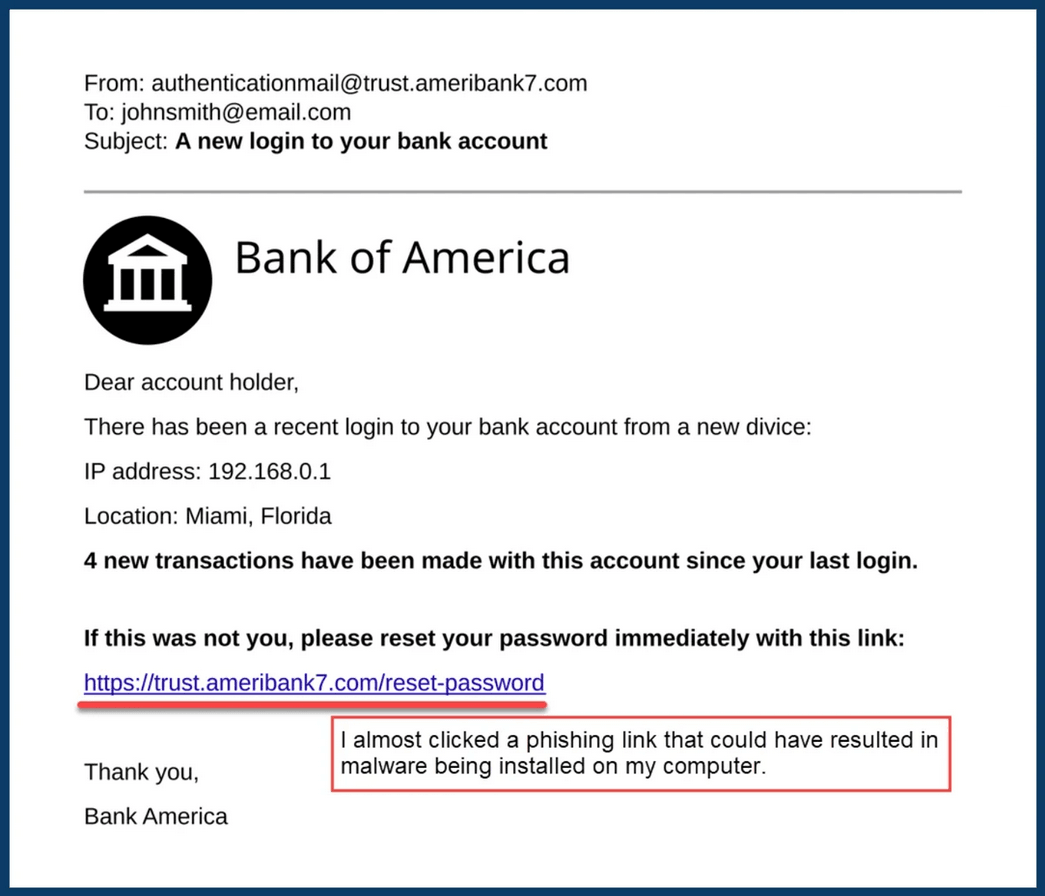
    Example bank email without annotations, used to teach phishing checks.

    Before — Looks Legit?

    At first glance, this email might look convincing. Before acting, check the sender, notice the language being used, and preview links safely.

    A few quick checks can reveal reasons to stop and investigate further.

    Same email annotated with six red flags: sender domain mismatch, urgent or threatening language, and a mismatched link shown on hover.

    After — You'll spot:

    Who it’s from

    How it’s written

    Urgency and pressure language

    Link or entity mismatches

    These checks can help you decide when an email deserves a closer look.